
Space Engineers is a sandbox game that combines creativity with engineering challenges, allowing players to build, explore, and survive in space and on planets. Hosting a dedicated server can significantly enhance your multiplayer experience by providing a stable and customizable environment. This guide covers everything you need to know about using mods, managing save locations, and configuring settings on Nitrado servers for Space Engineers.
Space Engineers Dedicated Server Mods
Using mods on a dedicated server can enhance gameplay by adding new features, mechanics, and content. Here’s how to manage and install mods on your Space Engineers dedicated server:
Installing Mods on a Space Engineers Dedicated Server
- Find Mods: Browse the Steam Workshop for Space Engineers to find mods you want to install.
- Subscribe to Mods: Subscribe to the desired mods to download them to your client.
- Locate Mod IDs: Each mod has a unique ID, which can be found in the mod’s URL on the Steam Workshop.
- Edit Server Configuration:
- Access your server’s configuration files. Typically, this is the
SpaceEngineers-Dedicated.cfgfile. - Add the mod IDs to the
Modssection of the configuration file in the format<ModItem><Name>ModID</Name></ModItem>.
- Access your server’s configuration files. Typically, this is the
- Upload Configuration: Save your changes and upload the configuration file back to your server.
- Restart Server: Restart your server to apply the changes and load the mods.

Space Engineers Dedicated Server Save Location
Managing your save files is crucial for backing up progress and transferring game states. Here’s where to find and manage your Space Engineers dedicated server save files:
Locating Save Files
- Default Save Location: The default save location for a Space Engineers dedicated server is usually in the following directory:makefileКопіювати код
C:\ProgramData\SpaceEngineersDedicated\<YourServerName>\Saves\ - Custom Save Locations: If you’ve specified a custom save location during setup, navigate to that directory to access your save files.
- Backup Saves: Regularly back up your save files by copying the save folder to another location. This ensures you don’t lose progress in case of server issues.
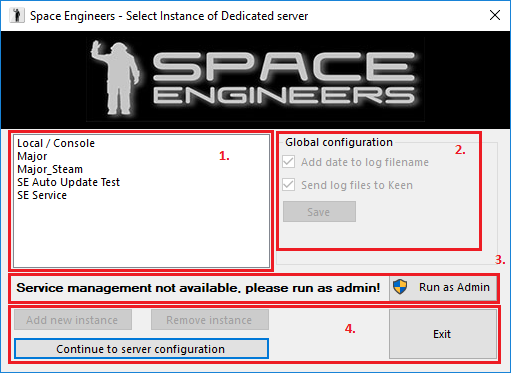
Space Engineers Nitrado Hosting
Nitrado is a popular game server hosting provider that offers easy setup and management for Space Engineers servers. Here’s how to get started:
Setting Up a Space Engineers Server on Nitrado
- Sign Up and Select Plan: Create an account on Nitrado’s website and choose a Space Engineers server hosting plan that fits your needs.
- Server Installation: Nitrado will automatically set up your Space Engineers server. You’ll receive access to a web interface to manage your server.
- Access Configuration Files: Use the Nitrado web interface to access and edit your server’s configuration files.
Space Engineers Nitrado Server Settings
Configuring your server settings on Nitrado ensures an optimal gameplay experience tailored to your preferences. Here’s how to manage these settings:
Configuring Server Settings
- Access Web Interface: Log in to your Nitrado account and access your Space Engineers server’s web interface.
- Edit Configuration Files: Navigate to the configuration files section. The primary configuration file is
SpaceEngineers-Dedicated.cfg. - Adjust Settings: Customize settings such as world name, game mode, inventory size, and more. Use the web interface to make these changes easily.
- Save and Restart: Save your changes and restart the server to apply the new settings.
Space Engineers Server Nitrado
Using Nitrado for hosting your Space Engineers server comes with several benefits:
Benefits of Using Nitrado
- Ease of Use: Nitrado’s web interface makes it easy to set up and manage your server without needing extensive technical knowledge.
- Scalability: Choose from various plans to scale your server resources based on your needs.
- Support: Nitrado provides customer support to help with any issues or questions you might have about your server.

Conclusion
Hosting a dedicated server for Space Engineers using Nitrado provides a stable and customizable platform for multiplayer gameplay. By managing mods, save locations, and server settings effectively, you can enhance your gaming experience and enjoy seamless play with friends. Whether you’re building massive structures in space or surviving on distant planets, a dedicated server ensures that your adventures in Space Engineers are always accessible and enjoyable.
